DMV Permit Practice Test Genie
- 4.7
- Rating
- 1.00M
- Installs
- Free
- Price

 Analysis by App-foxy
Studying for a permit test is already demanding, especially when you are trying to fit it around work, school, family responsibilities, or limited access to formal driving lessons. I found DMV Permit Practice Test Genie most useful as a flexible study companion rather than as a replacement for the official driver handbook. It turns spare moments into short practice sessions and gives the process a more active rhythm than simply reading page after page.
This is an Auto & Vehicles app from Elegant E-Learning, aimed at people preparing for a driver license test, with coverage for all states and CDL preparation. It is free to install, rated for Everyone, and has built a strong audience with a 4.7 average from around 38 thousand ratings and over 1 million installs. Those figures suggest that it has become a familiar option for learners, but popularity is not enough on its own. What matters to me is whether the app is understandable, usable in different situations, and honest about the work the learner still needs to do.
How clearly the app supports different learners
I find it useful to judge a study app not only by the questions it offers, but by whether its format lets different learners work at a pace that feels manageable. Here, the short answer-and-review cycle can make it easier to begin, while careful reading and touch-based choices may still create hurdles for some people. The next section looks at how those strengths and limits shape the app’s fit across everyday learning needs.
You May Also Like

 Blood Strike: 2.5 Anniversary
Blood Strike’s Loadouts Turn Every Drop Into a Tactical Gamble
A close look at Blood Strike’s custom loadouts: how fast access to signature weapons reshapes its battle royale rhythm, rewards preparation, and narrows the gap between fights.

 Pandora - Music & Podcasts
Pandora’s Music Is Easy to Start, but Harder to Recover
Pandora’s strength is its low-effort path from a seed to a station. Its weak spot is how much confidence it asks you to place in connection, setup, and quiet recovery.

 8 Ball Pool
 Is Built on Rivalries, Rematches, and Routine
A close look at the rivalries, rematches, shared routines, and unanswered safety questions that turn a quick pool match into a persistent mobile community.

 Samsung Music
’s Quiet Strength Is Playing What You Already Own
Its reach comes less from spectacle than from dependable access to a personal library. That simplicity is both the app’s strongest retention engine and its ceiling.

 AccuWeather: Weather Radar
AccuWeather Review: A Quick, Clear Forecast for Everyday Decisions
For everyday plans, the best forecast is the one you can understand quickly. AccuWeather makes rain timing, radar, and local conditions easy to act on, with a few trade-offs.

 Hill Climb Racing
Why Hill Climb Racing Still Turns Crashes Into One More Run
A tiny car, a bumpy hill and one more upgrade: Hill Climb Racing keeps resurfacing because its simple chaos makes every near-miss feel personal.
More From Our News Desk



Readable practice is more useful than a crowded study screen
The core appeal is straightforward: instead of beginning with a long lesson, I can move directly into permit-test practice. That makes the app approachable for someone who feels overwhelmed by the amount of information in a driver handbook. Questions create a clear task, and the answer-and-review cycle gives each session a beginning and an end.
For a learner who reads comfortably on a phone, this format is easy to understand. The important action is obvious: read the question, choose an answer, and examine the result. I do not have to build a study plan from a blank screen. That reduced decision-making is valuable for people who lose momentum when an app presents too many menus, categories, or competing study tools at once.
At the same time, practice questions are not automatically easier than handbook pages. Legal wording, road signs, right-of-way situations, and exceptions can still be difficult to process. I recommend slowing down rather than tapping quickly through a quiz. A wrong answer is useful only if I stop to work out why it was wrong and then connect it with the rule in the official material.
The app is especially suitable for learners who prefer active recall. Reading a rule can create the feeling that I understand it, while answering a question exposes the gaps. That difference is important. I can remember a sentence in the handbook and still hesitate when the same idea appears in a new traffic situation. Repeated practice helps reveal those weak areas.
Navigation works best when the learner sets a narrow goal
I would not treat the app as something to open without a plan and browse indefinitely. A better workflow is to decide what the next session is for: a quick confidence check, a review of missed questions, or preparation for a particular state’s knowledge test. A narrow goal makes the interface feel less distracting and prevents random guessing from becoming the main activity.
One useful habit is to keep a small list of topics that cause trouble outside the app. For example, I might note that sign recognition feels comfortable but intersection rules do not. The next session can then focus on that weakness instead of producing another broad run of questions that mainly confirms what I already know. This is a more efficient use of short study periods.
People with reading difficulties may appreciate the bite-sized structure, but they should still expect to reread questions. Short screens do not guarantee simple language. If a question contains several conditions, I find it helpful to identify who has priority, what action is being asked about, and which detail changes the answer before looking at the choices. That approach reduces errors caused by rushing rather than by a lack of knowledge.
Helpful for different learning rhythms, with an important caution
The free entry point makes it easy to test whether this style suits you before committing to a study routine. The app has been available since January 14, 2016, and its current version is 5.17.0, so it is not a brand-new experiment. Still, learners should check the material against their current state handbook because driving rules and testing expectations can change. I use practice apps to rehearse knowledge, not to decide which official rule applies when the two sources appear different.
There are in-app purchases ranging from $3.49 to $199.00 per item. That is a wide range, so I would pay attention to the purchase screen and avoid assuming that every useful study option is included in the free experience. The free installation is a genuine advantage for trying the basic approach, while the possible cost of extras is a reason to compare the app with the official handbook and other no-cost resources before paying.
Motor and sensory considerations in everyday use
Practice testing is naturally suited to touch interaction, but that also creates a physical demand: the learner must tap answer choices and move through the session. For someone with limited fine-motor control, repeated tapping can be tiring or inaccurate. I would use the app in shorter blocks, keep the phone stable on a surface, and avoid treating speed as a measure of knowledge.
A learner who has tremors or difficulty making precise selections may need extra time to check that the intended answer was actually chosen. That matters because an accidental tap can look like a knowledge mistake. The app is more useful when I separate performance from input problems and review questionable results instead of accepting every score at face value.
Visual comfort also depends on the phone and the surrounding conditions. Studying in a moving car, in bright sunlight, or in a dim room can make small text and contrast harder to handle, even when the content itself is clear. I would choose a steady, well-lit place and adjust the device’s text or display settings where the operating system allows it. Those changes are not a substitute for built-in accessibility options, but they can make a short session less exhausting.
For learners with hearing differences, the central study task is comparatively practical because the questions are presented as reading rather than as an audio-only lesson. That makes the app more workable in a quiet visual study routine. However, I would not assume that every part of the experience is equally suitable for every sensory need. Anyone who relies on a particular screen reader, magnification setup, voice control method, or alternative input should test the actual screens on their own device before depending on the app for all preparation.
Situational access: where the app fits naturally
The strongest use case is the gap between larger commitments. I can imagine a learner finishing a shift, sitting in a library before an appointment, or waiting for a bus and completing a focused practice session. This is more convenient than carrying a handbook everywhere, and the question format gives a clear stopping point when time is limited.
That convenience is also useful for people whose schedules are unpredictable. A parent may have only a few quiet minutes after a child goes to sleep. A student may prefer several small sessions instead of one long evening. Someone preparing for a CDL knowledge test may want to keep general driving concepts active while studying more specialized material elsewhere. In each case, the app lowers the effort required to begin studying.
I would not use it while driving, cycling, or walking through traffic. It belongs in a parked, settled environment where attention can stay on the screen. The same applies to public transport: it may work during a calm ride, but motion, glare, and interruptions can reduce comprehension. A wrong answer produced by distraction is not a meaningful measure of readiness.
People with limited or unreliable internet access should think about their study location before making the app their only resource. I would open it in advance and see how it behaves in the places where I expect to study, rather than discovering a problem shortly before the exam. Keeping the official handbook available in another form is sensible in any case, because it provides a reference when a question needs deeper explanation.
What the practice format can and cannot teach
The app is good at creating repetition, but repetition can become mechanical. If I memorize the wording of familiar questions, I may perform well inside the app without being ready for a differently phrased exam question. To avoid that trap, I would explain each answer in my own words and ask what would change the result if one fact in the situation changed.
This is one of the most important trade-offs compared with the usual alternatives. The official handbook is slower and less interactive, but it is the better source for complete explanations, definitions, and state-specific details. A classroom or instructor can answer personal questions and correct misunderstandings that a multiple-choice screen cannot see. Video lessons may help visual learners, while an audio study tool may suit someone who learns best by listening. The Genie app sits between these options: more active than plain reading, but less responsive than a human teacher.
For sign preparation, I would use the app to test recognition and then look at real-world examples during supervised driving practice. Knowing what a sign means is not identical to noticing it early, judging its relevance, and responding safely. The app can support the knowledge layer, but it cannot reproduce the visual scanning, timing, stress, and judgment required on the road.
Remaining barriers that deserve attention
The biggest barrier is the risk of false confidence. A strong practice score can feel reassuring, yet it may reflect familiar question patterns rather than broad understanding. I would want to perform consistently across several sessions, explain missed answers, and verify important rules in the official state material before booking a test.
Another limitation is that a phone-based quiz cannot fully adapt to every learner’s situation. Someone with dyslexia, low vision, attention difficulties, or a motor disability may need more control over text presentation, pacing, input, or explanation than the app provides. Device-level settings may help, but I would not assume they solve every problem. If the screen causes strain or the interaction repeatedly creates errors, a printed handbook, instructor-led course, accessible document, or another app may be the better primary tool.
Purchases are another point to handle carefully. Since the app is free but offers paid items, I would begin with the no-cost material and decide whether an upgrade solves a specific problem. Paying is harder to justify if I still have not identified the topics I need to improve. A learner who only wants a simple question bank may find the free starting point sufficient, while someone seeking a broader study package should compare the total cost with other preparation choices.
Age suitability is broad because the app is rated Everyone, but that does not mean every learner will find the content equally easy. A younger student, a new English reader, or someone unfamiliar with local road terminology may need support from an adult, teacher, or handbook. The app can provide practice; it does not remove the need for explanation when a rule is confusing.
My practical study routine with it
If I were preparing with this app, I would begin by identifying the correct state and test goal rather than treating every available question as equally relevant. I would then complete a short baseline session without looking up answers. The purpose would not be to chase a high result, but to discover whether my weaknesses involve signs, traffic laws, safe driving decisions, or wording.
After that, I would divide study into three steps. First, answer slowly and mark the ideas that feel uncertain. Second, check those ideas in the official handbook, especially when the question concerns a precise legal exception. Third, return to practice later and see whether I can answer a differently worded question for the same concept. This workflow turns the app into a diagnostic tool instead of a guessing game.
I would also avoid studying only when motivation is high. A predictable routine of small sessions is easier to maintain than occasional marathon quizzes. For someone with fatigue, anxiety, or limited concentration, stopping after a manageable set may preserve learning better than pushing until every question feels blurred together. The app’s convenience is most valuable when it supports a sustainable pace.
Before the real test, I would use it for confidence checks but not as the final authority. I would review the state handbook, confirm the test requirements through official channels, and make sure I understand why answers are correct. That final cross-check is especially important because a practice app and a government testing office serve different purposes.
Who should choose it, and who should look elsewhere
I recommend this app to learners who want a free way to turn idle minutes into permit-test practice, prefer answering questions to reading continuously, and are willing to verify difficult rules independently. It also makes sense for people who want a broad starting point for state driver license preparation or CDL study before deciding which topics need more serious attention.
I would be more cautious for anyone who needs extensive explanations, instructor feedback, audio-first learning, highly customized accessibility controls, or a complete substitute for official study material. In those situations, a handbook, driving school, tutor, or more specialized accessible resource may serve as the main tool, with this app used only for extra drilling.
Elegant E-Learning has made the product available at no upfront cost, and the large user base indicates that many learners find the format useful. I see the strongest value not in treating it as a complete course, but in using it to expose weak spots and make review less passive. That distinction keeps expectations realistic.
Inclusive verdict for permit-test preparation
My overall impression is positive, with a clear condition: DMV Permit Practice Test Genie works best as a flexible practice layer, not as the entire learning plan. Its question-driven format is approachable, convenient, and well suited to short sessions. It can help a learner who struggles to start with a long handbook, and it fits reasonably well into varied schedules and study environments.
Its inclusive value comes from that flexibility, but flexibility has limits. Touch interaction, screen reading demands, possible purchase prompts, and the need for independent verification may create friction for some users. People with specific visual, motor, cognitive, or sensory requirements should test the experience on their own device and keep an alternative study method available.
For me, the best reason to install it is practical: it makes it easier to discover what I do not know yet. I would use it in short, focused sessions, investigate every uncertain answer, and compare important rules with the official handbook. Used that way, this free Auto & Vehicles app is a useful companion for many future drivers, while learners needing deeper instruction or more specialized accessibility support should choose a fuller primary resource.
FAQs for DMV Permit Practice Test Genie
01What is the DMV Permit Practice Test Genie app?
The DMV Permit Practice Test Genie app is a comprehensive study tool designed to help users prepare for their DMV written test. It offers a variety of practice tests, covering different topics required to pass the permit exam. The app aims to enhance user confidence and knowledge with realistic test simulations.
02Is the DMV Permit Practice Test Genie app free to use?
The app offers a free version with basic features, but to access advanced tests, explanations, and additional study materials, users may need to purchase a premium subscription. This ensures you get the most out of the app's extensive resources and tailored learning experience.
03Does the app cover all states in the U.S.?
Yes, the DMV Permit Practice Test Genie app is designed to cater to users from all U.S. states. It provides state-specific practice tests and questions that align with the latest DMV guidelines, ensuring that users are studying relevant material for their particular state's permit exam.
04How user-friendly is the DMV Permit Practice Test Genie app?
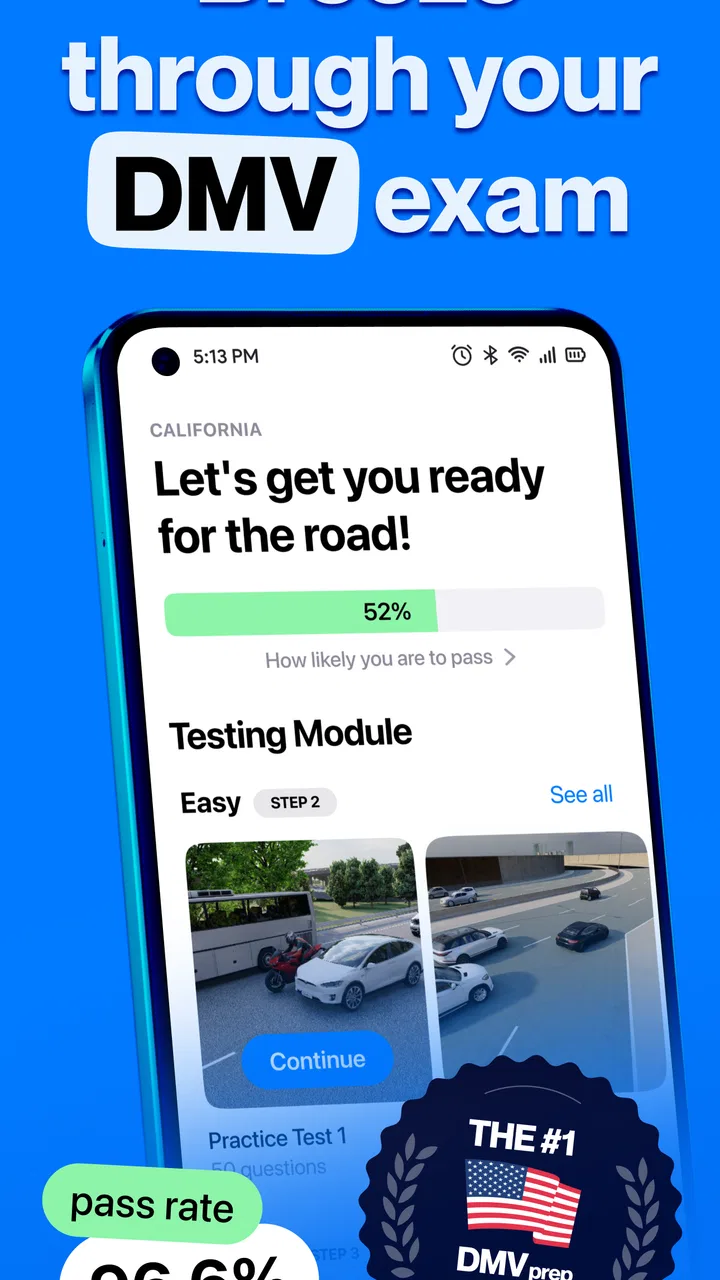
The app is designed with an intuitive interface, making it easy for users of all ages to navigate. Features like progress tracking, interactive quizzes, and detailed explanations of answers help users stay engaged and motivated as they prepare for their DMV written tests.
05Can I use the DMV Permit Practice Test Genie app offline?
Yes, once downloaded, many features of the DMV Permit Practice Test Genie app can be accessed offline. This allows users to study and practice without the need for a continuous internet connection, making it convenient for on-the-go learning.
Pros
- Comprehensive question database.
- User-friendly interface design.
- Offline mode available.
- Progress tracking features included.
- Customizable practice tests.
Cons
- Limited free content available.
- Occasional ads can be distracting.
- No video explanations offered.
- Requires in-app purchases for full access.
- Some questions are outdated.

DMV Permit Practice Test Genie
Gallery